The 80/20 Rule (Pareto Principle)
A few tasks drive most of your results: find that 20% and give it your best hours.
Move work across a visual board and watch progress from start to done.
8 min read · Updated Oct 23, 2026
Kanban turns invisible work visible. Every task is a card on a board with three columns: to do, doing, done. You move cards right as work progresses. The board answers "how are we doing?" at a glance, which is why teams and solo workers both adopt it.
This guide shows how to set a board up, how to run it day to day and how it looks in BluePomodoro, with real boards from the app.
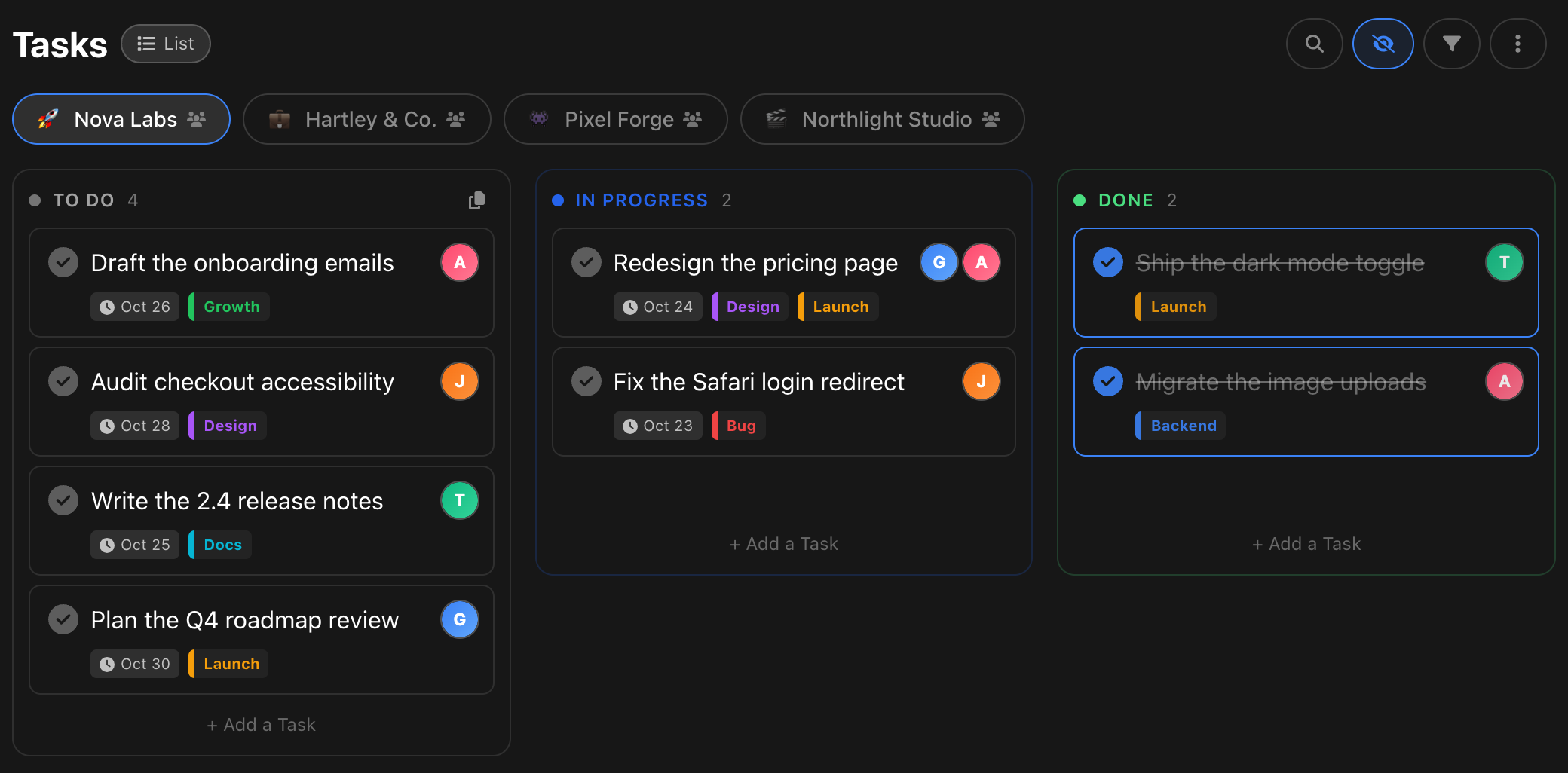
1Three columns to start
To do, doing, done. Resist adding columns until the board hurts: simplicity is the feature.
2Limit work in progress
Cap "doing" at two or three cards. The limit is the method: it forces finishing over starting.
3Move cards, do not rewrite them
A card travels the whole way. The trail of done cards becomes your week at a glance.
4Review daily, clear weekly
One minute each morning: what is stuck in doing? Archive done every Friday and start clean.
In BluePomodoro a card moves by drag and drop. Pick one up in To do, drop it in In progress when you start, and drop it in Done when the work is real. Drop a card higher or lower in the same column to reorder it. The count in each column header updates as you go.
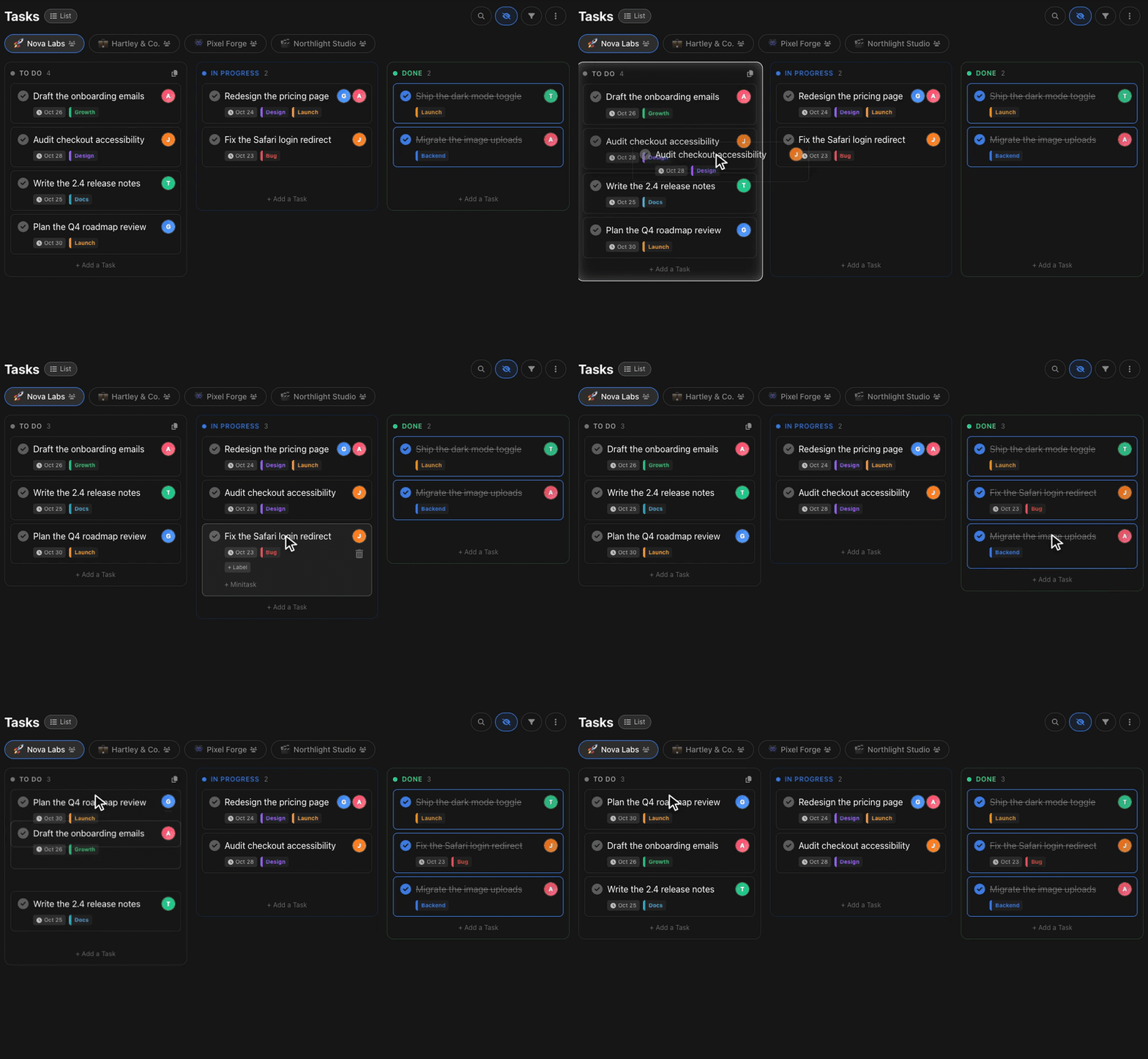
Keep an eye on the In progress count. When it keeps growing, you are starting more than you finish. That pile is the bottleneck, and the board shows it without a meeting.
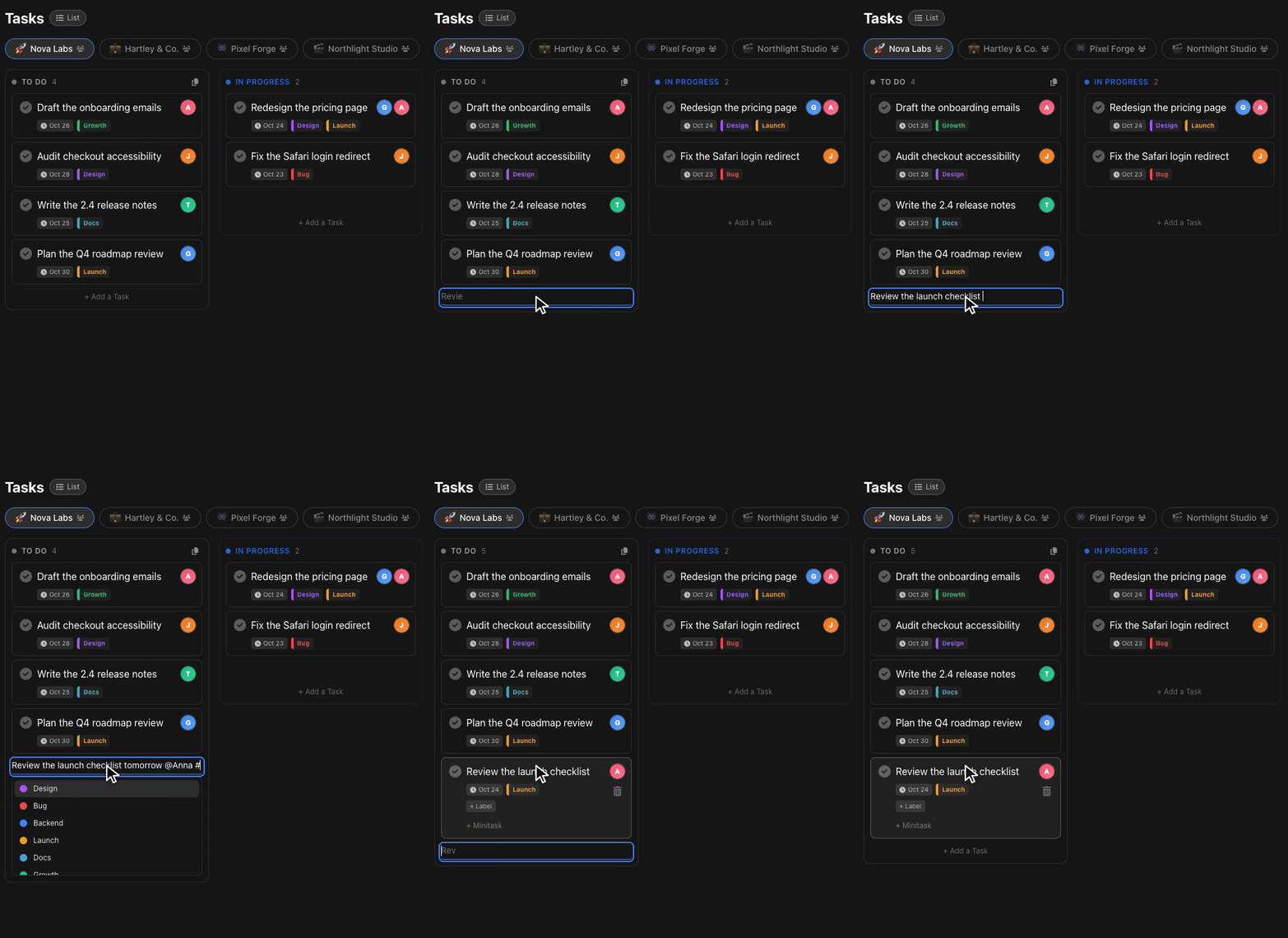
Open Add a Task at the bottom of any column and type the way you think. Press @ to pick a teammate, # to pick a label and write "tomorrow" or "in 3 days" to set the due date. When you press Enter, the card appears in that column with everything filled in.
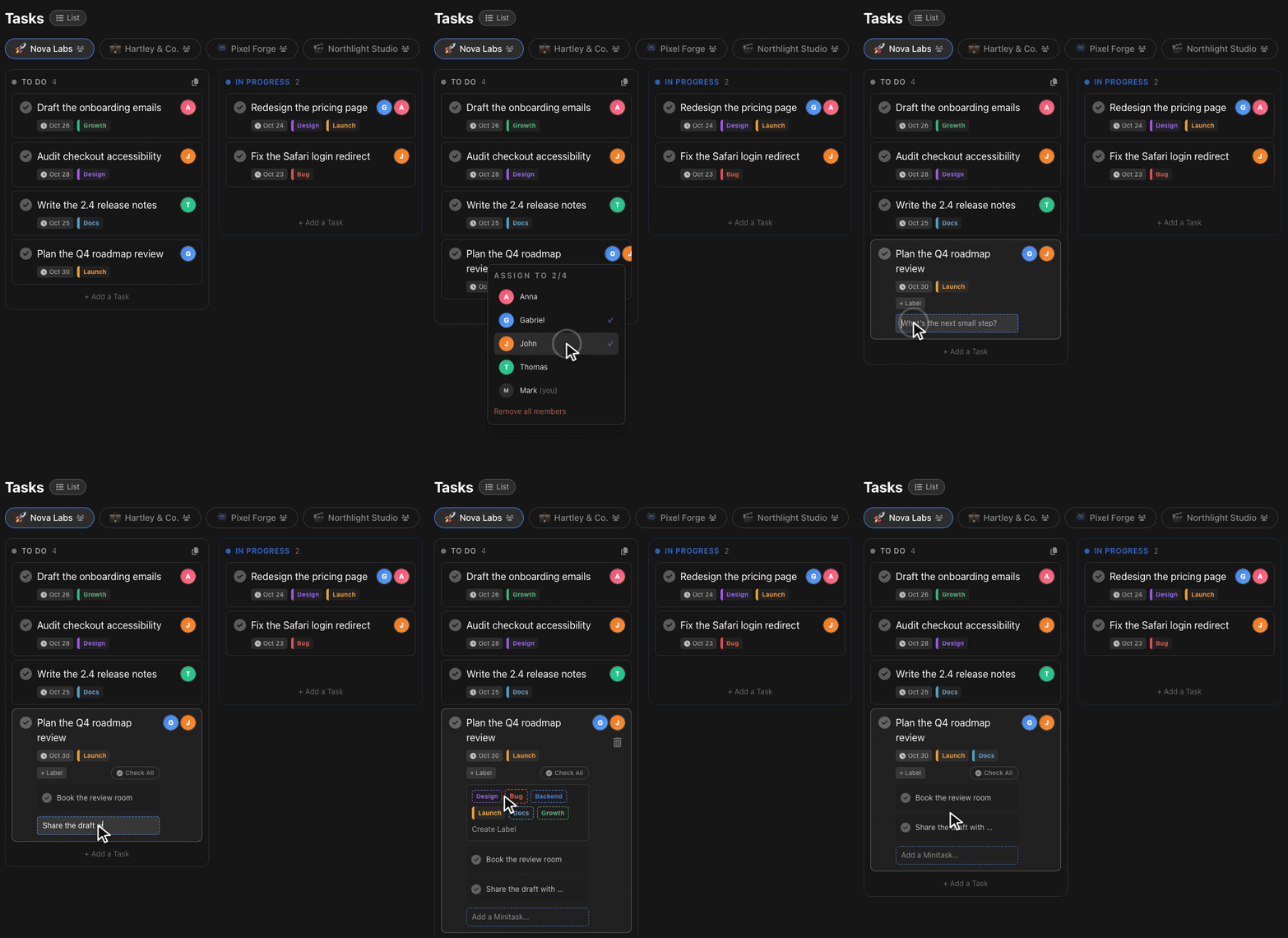
Click the avatars on a card to assign people, more than one when the work is shared. Add minitasks for the steps inside a card, and labels to see the kind of work at a glance. Avatars and due dates sit on the card, so the board shows who has what and what is due without opening anything.
Every project has its own board, so a client, a product and your personal tasks never share a column. Switch with the project tabs: each board keeps its own cards, labels and teammates.
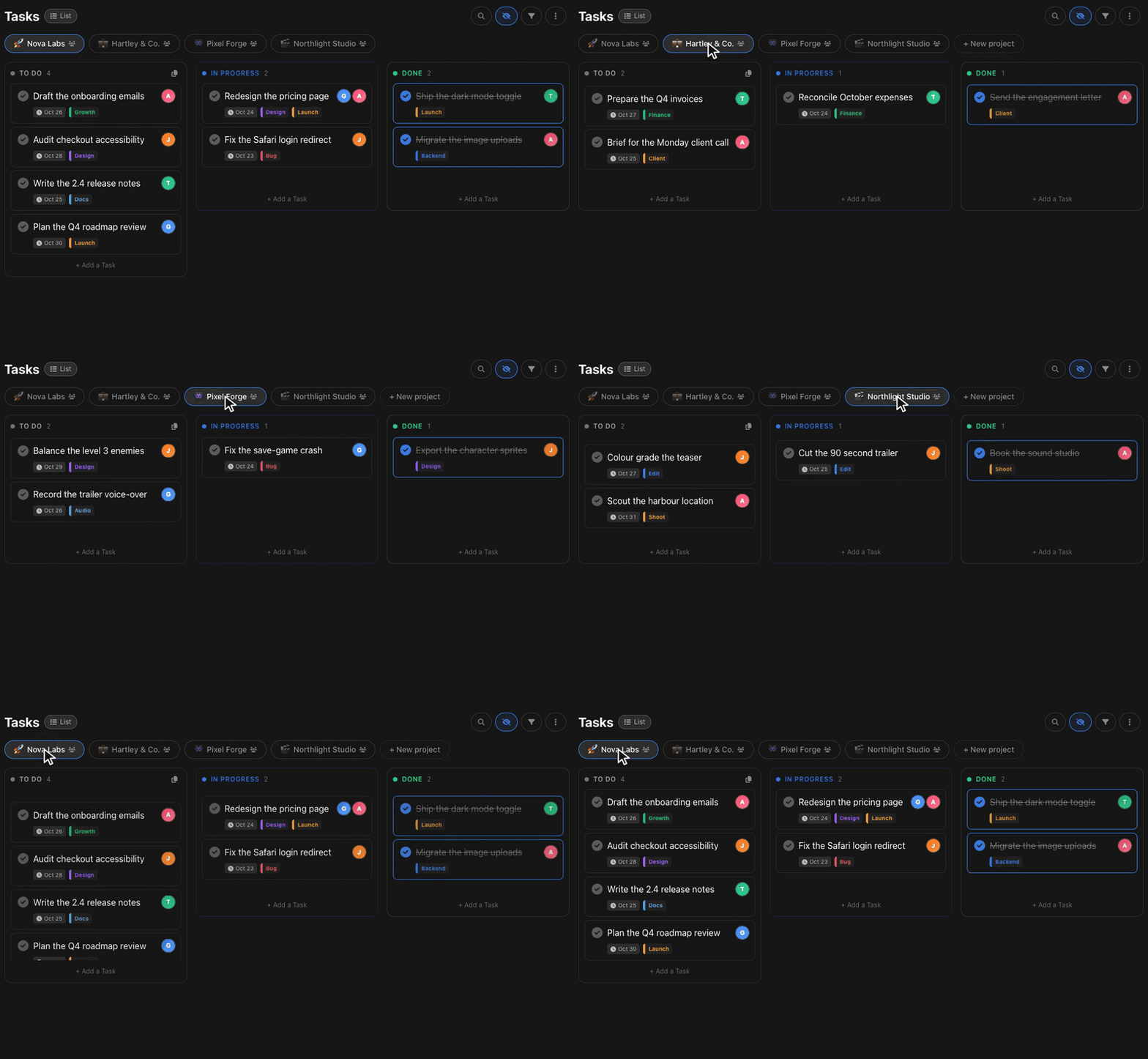
Kanban decides what to work on and the Pomodoro Technique decides for how long. Pull one card into In progress, run your rounds on it and drop it in Done. If you also plan your calendar, pair this guide with the Pomodoro Technique and time blocking.
Kanban is Japanese for a visual signal or card. It started in Toyota factories in the late 1940s as a way to signal when more parts were needed, and it later became a method for managing knowledge work with a board of cards.
Start with three: To do, In progress and Done. Add a column only when a real step keeps getting skipped, such as Review or Blocked.
A cap on how many cards can sit in In progress at once. Two or three works well for one person. The point is to finish work before starting more.
Scrum works in fixed sprints with set roles. Kanban is a continuous flow with no sprints and a limit on work in progress, which many small teams and solo workers find lighter.
Yes. A personal Kanban is the same board with only your cards: it shows what you are doing now and what is waiting. BluePomodoro is free to start and needs no sign-up for your first session.
A few tasks drive most of your results: find that 20% and give it your best hours.
Pick six tasks the night before, rank them, and work top to bottom one at a time.
Timers, tasks and teams in one calm place. Free to start, no card required.
Open BluePomodoro free